12. September 2026
Building an E-Ink Fridge Dashboard from an Old Kindle
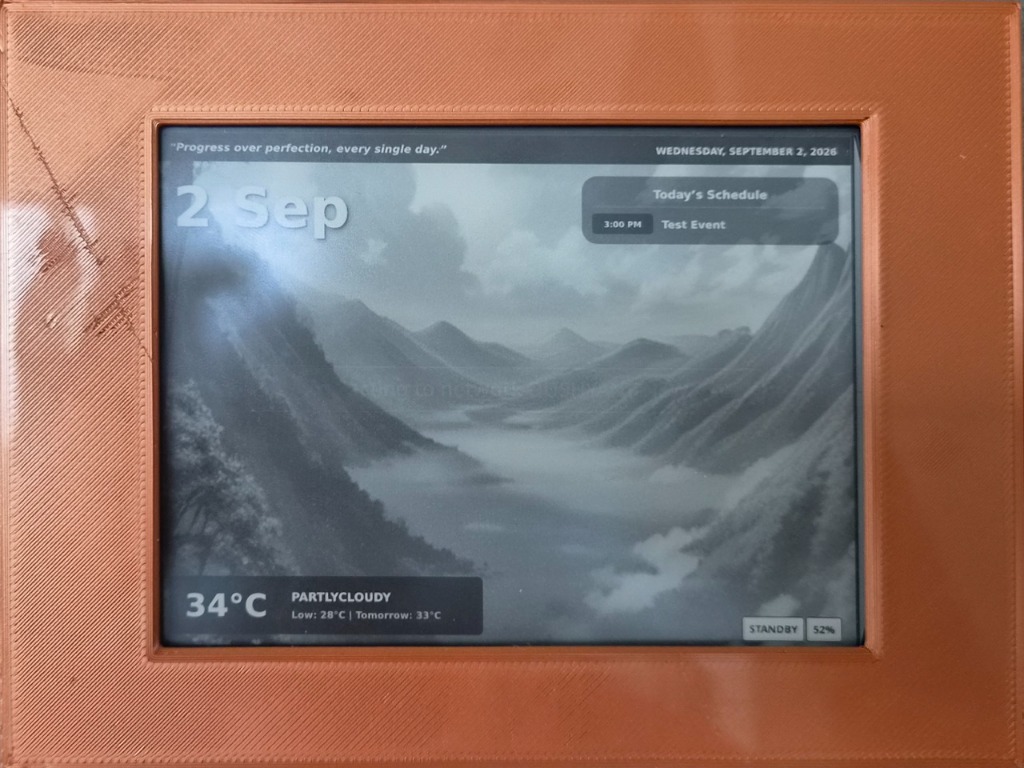
I had an old jailbroken Amazon Kindle Basic 3 (KT4) sitting in a drawer doing nothing.
Over the years, I had bookmarked several clever projects that repurposed old e-readers – from the classic Kindle Weather Display by Matthew Petroff and the Literary Clock on Instructables, to Hackaday’s writeup on Turning Old Kindles Into AI-Powered Picture Frames. I had been meaning to put one together for our kitchen – specifically, an ambient smart display mounted to the fridge door with magnets in a custom 3D-printed case.
The requirements were simple:
- No power cables dangling from the fridge. It had to run off the internal battery and last weeks per charge.
- High-contrast glanceable information: time, weather, indoor air quality, calendar events, and birthdays.
- I liked the idea of an AI generated image depicting the weather - so incorporated that. Then a friend suggested that I look into Google’s Froggy weather - and that was added as an option as well.
- Ambient, readable visuals that look like print rather than an intrusive glowing tablet screen.
Here is how the system works and how I put it together. Fair warning - I used AI to generate the code, however - I do understand what’s going on under the hood.
What It Displays
The display runs in an 800×600 landscape layout designed for high contrast on 16-level grayscale E-Ink:
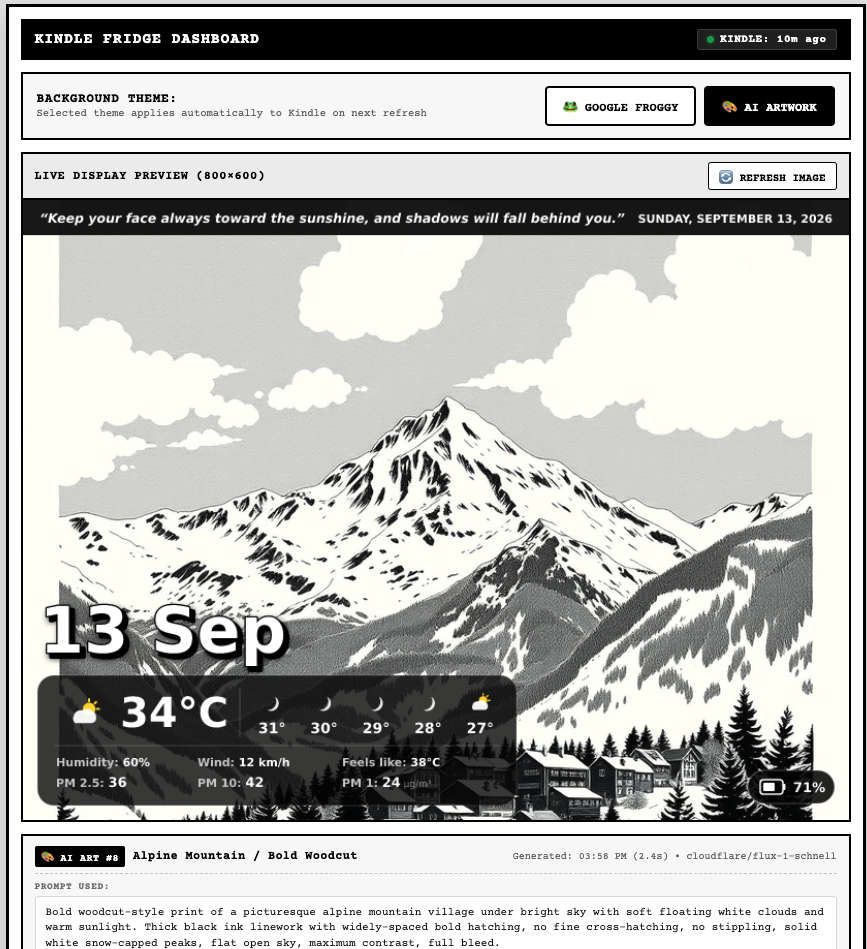
- Top Motivational Ribbon: A daily motivational quote on the left paired with the full date on the right.
- High-Contrast Date: Large day and month (e.g.,
12 Sep) positioned just above the weather bubble, styled with solid cast shadows and crisp outlines so it stays legible over any artwork. - Unified Weather & Air Quality Bubble:
- Weather: Real-time temperature, condition string, and tomorrow’s forecast pulled directly from Home Assistant.
- Indoor Air Quality: Live particulate matter readings (PM 2.5, PM 10, and PM 1 in µg/m³) scraped from our Prana Air monitor. If the sensor ever goes offline, it fails gracefully without blocking the dashboard.
- Dynamic Right-Side Cards:
- Birthdays & Occasions: Shows today’s occasions and upcoming birthdays with a cake badge. It resizes automatically and hides completely when there are no events.
- Today’s Schedule: Pulls timed calendar entries from Outlook (via Home Assistant), showing time badges and striking through completed meetings. It also hides itself when the schedule is clear.
- Battery Status Pill: Located in the bottom-right corner, displaying the real-time hardware battery percentage and charging indicator.
Battery Life and Power Management
For a fridge display, battery life makes or breaks the project. If you have to take it down to charge every two or three days, you will stop using it. With the power management setup I built, the Kindle delivers 3 to 5 weeks of battery life on a single charge.
The core features of the power setup include:
- Deep Sleep Cycle: The Kindle remains in hardware deep sleep for 99% of its life. Every 30 minutes, it wakes up, turns on Wi-Fi for about 3 to 4 seconds to download the latest dashboard image, updates the E-Ink screen, powers off Wi-Fi, and drops straight back to sleep.
- Quiet Hours Overnight: Between 10:05 PM and 05:25 AM, the Kindle stays asleep throughout the night. It skips all network wakes to conserve battery, waking up at 05:30 AM with fresh morning weather and artwork.
- Live Hardware Battery Telemetry: On every wake, the Kindle queries its internal fuel gauge and sends its live battery percentage and charging status to the server. The server renders this directly into the bottom-right status pill.
- Critical Low-Battery Guard: If the battery drops to 10% or below and isn’t plugged in, the device displays a full-screen warning screen (
BATTERY CRITICALLY LOW - PLEASE CONNECT CHARGER TO RESUME) and enters a low-power hibernation loop to prevent deep discharge. - On-Demand Power Button & USB Refresh: You don’t have to wait 30 minutes if you want an immediate update. Pressing the physical power button wakes the device and refreshes the screen on demand. Similarly, unplugging the USB cable after charging automatically triggers a fresh download and redraw.
- Single-Tap Homescreen Launcher: A shortcut in the Kindle library (
Fridge Dashboard) allows starting or restarting the dashboard with a single tap.
Dual Themes: Google Froggy and FLUX AI
The backend runs a local Node.js service on my home server (192.168.79.2:8140), backed by SQLite and a Web Control Center where I can switch between two background themes:
1. Google Froggy Weather
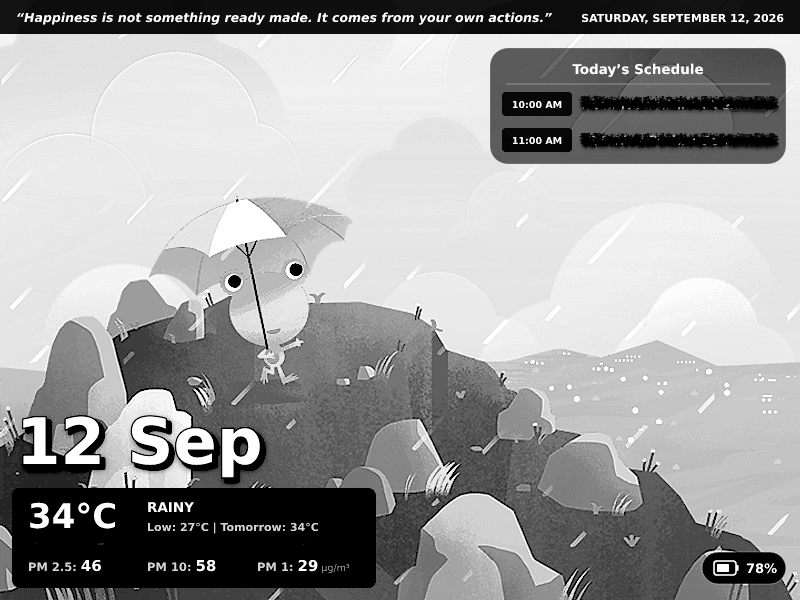
An authentic recreation of the Google Weather Frog theme using 104 square multi-layer scenes. The server matches the current Home Assistant weather condition and sun elevation (day, night, dawn, dusk) to the appropriate scene.
Color Froggy illustrations have deep greens, blues, and earth tones that look great on a phone, but turn into muddy dark gray when dithered on 16-level grayscale E-Ink. To fix this, I added an automated image processing pipeline in Sharp:
- Brightness Boost: +30% for day scenes, +38% for night scenes.
- Contrast Curve: Linear contrast expansion (
linear(1.20, -10)) to push midtones to crisp light grays and shadows to black. - Edge Sharpening: Outlines, eyes, and rain streaks stay sharp and legible.
The frog and immediate scenery anchor cleanly in the bottom-left corner right beneath the weather bubble.
2. FLUX.1 AI Artwork
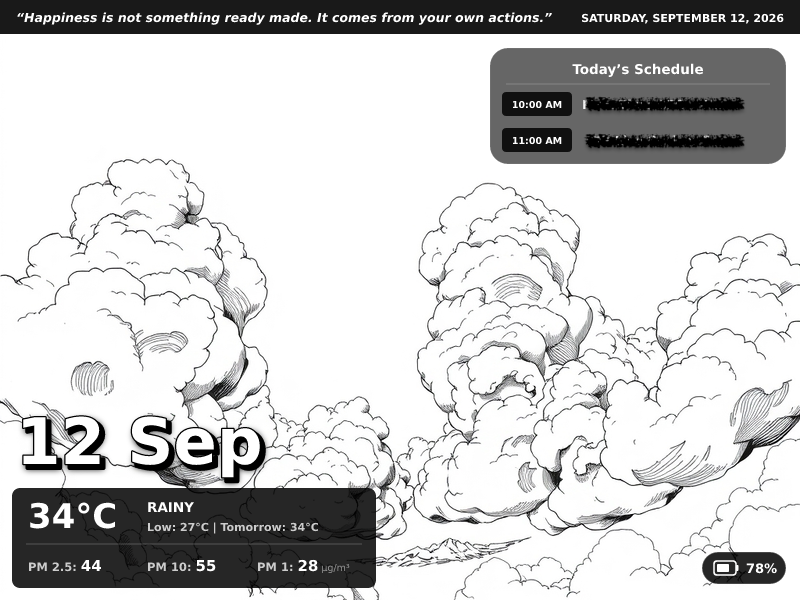
For a more artistic look, the server can generate fresh monochrome landscapes using Black Forest Labs FLUX.1-schnell via Cloudflare Workers AI.
- Runs on Cloudflare’s free tier (10,000 Neurons/day, providing around 57 free generations daily).
- Cycles through 15 high-contrast styles tailored for E-Ink (abstract ink, surreal line art, linocut Indian skyline, pen-and-ink sketches).
- Injects the current weather condition dynamically into the prompt (e.g.,
radiant sunny clear sky with bright daylightorfresh gentle rainfall over glistening streets). - Resilient Fallback: The scheduler runs 2 minutes before the Kindle wakes (
:28and:58). Overnight quiet hours automatically skip generation to preserve daily quota. If Cloudflare ever experiences a cold start or network timeout, the server temporarily serves the matching Froggy scene for that 30-minute block without changing the saved setting, and retries FLUX on the next cycle.
Solving Display Quirks
A couple of interesting bugs came up during testing:
The Airplane Mode Icon Bug
When the Kindle wakes, downloads the image, and turns off Wi-Fi before going to sleep, the Kindle OS status bar driver would display an airplane mode icon in the top corner. Because Wi-Fi was shut off after the image was painted, the icon stayed permanently stamped over the top of the dashboard during sleep.
The fix was simply reordering the script execution sequence:
- Wake from sleep.
- Turn on Wi-Fi and connect.
- Download the dashboard image.
- Turn Wi-Fi radio off immediately.
- Wait 1 second for the Amazon status bar driver to finish compositing the airplane icon.
- Paint the framebuffer (
eips -g "$IMG_PATH" -f). - Enter deep sleep.
Because the image is painted after the status bar finishes its animation, the dashboard completely overwrites the airplane icon. The screen remains completely clean.
Script Persistence Across USB Syncs
When tweaking shell scripts on the Kindle over USB Mass Storage, Linux keeps running scripts in RAM. Unplugging the cable left the old version running in memory, and the launcher script wouldn’t start a new instance because the old PID was still active.
I solved this in two ways:
- The launcher script (
FridgeDashboard.sh) explicitly kills the old PID before launching a fresh background process. - The daemon script itself records its launch MD5 checksum. On every wake from sleep, it checks its disk checksum. If the script was modified over USB, it executes
exec /bin/sh daemon.shto hot-reload itself in memory automatically.
Remote Control via Telegram
I set up a Telegram bot connected to the backend server. It allows checking and controlling the dashboard from anywhere:
- Checking the schedule, meetings, and birthdays.
- Checking current Kindle battery health and last check-in timestamp.
- Triggering an instant AI art refresh or selecting a specific prompt style index (
art 4), which pushes an immediate update to the Kindle.
Where It Stands
The Kindle has been mounted on the fridge door for several days now. It wakes cleanly every 30 minutes, pulls live weather, air quality, and calendar entries, and goes back to sleep without any intervention.
Suggestions Welcome